Marco Tiongson
I build systems that make complex work easier to see, trust, and act on.
Right now that is two things: the operating system Favor Church's staff use every week, built on Rock RMS, and Gaia, the evidence-backed registry and runtime for AI agent skills that I founded.
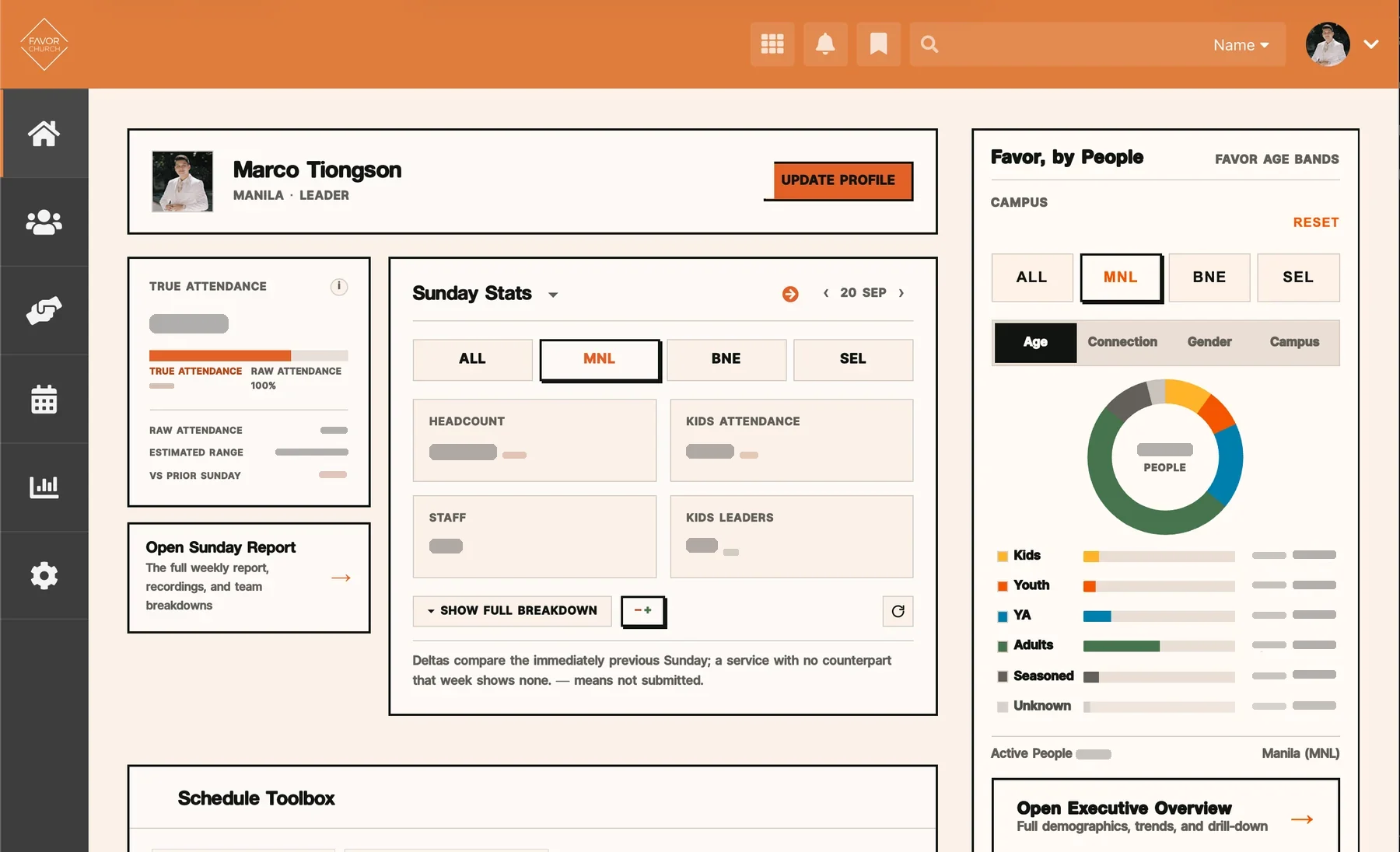
Favor Home
The homepage is the front door into the operating system. When someone on staff signs in, it should tell them what matters this week and where to go next, not hand them one more dashboard to decode.
The tension
Rock's staff homepage was rendering several unrelated visual languages at once: my cream "Favor, by People" island, a purple Sunday Stats panel on slate, a dark signups widget, and stock Bootstrap panels from blocks Rock compiles itself. It looked like several products arguing about who owned the page.
The conviction
The homepage should borrow the operating system, not imitate it. If the front door and the rooms behind it speak different languages, nobody trusts either.
What I changed
-
The page belongs to Rock; the island belongs to the dashboards.
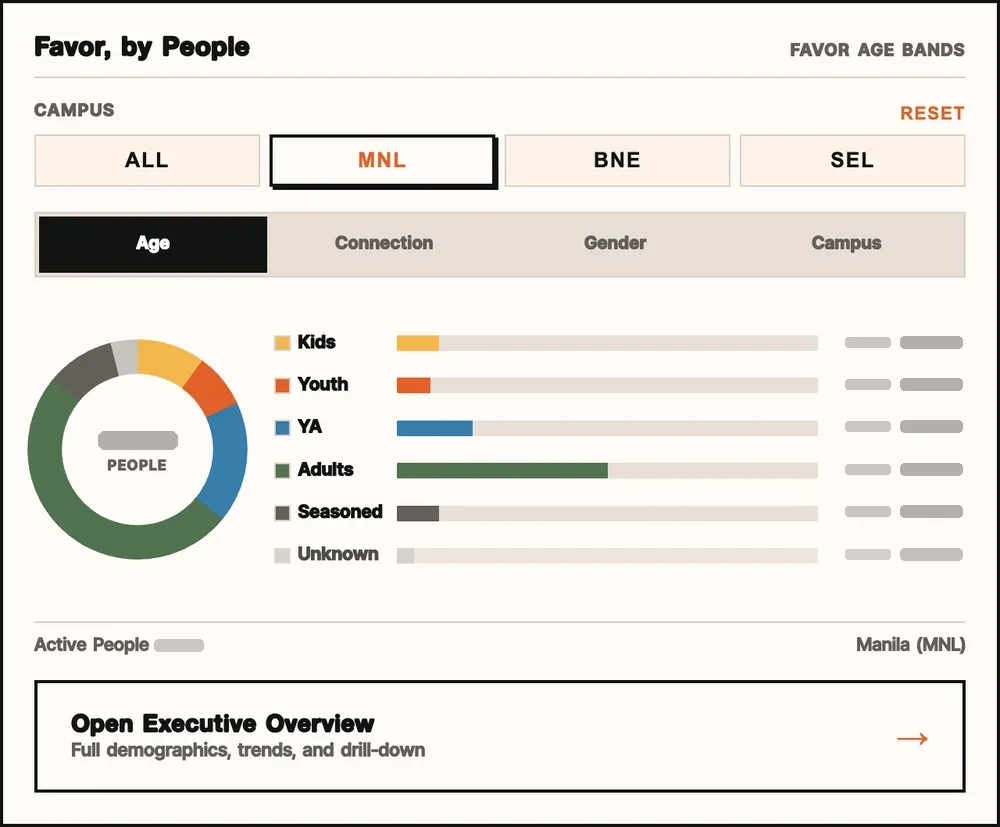
The homepage itself lives in rock-pages. The Favor, by People panel in its sidebar is a copy that comes from the dashboards repo, through a block that is only a placement and security seam: a literal smaller instance of Executive Overview's own components, with the same data model, category colours, labels and tooltip. The campus defaults to the viewer's own, and a campus you are not cleared for reads unavailable, never a wrong number.
-
One ground for every block.
Instead of reskinning blocks one at a time, I restated Rock's own primitives (panels, tables, buttons, form controls, selection and focus) in the Executive Overview vocabulary, on that one page. Blocks this repo cannot template, and any block added later, inherit it for free.
-
Count what actually happened.
The attendance card read its service count from a stored settings list that still named four retired services. True Attendance now counts the services actually submitted for the Sunday being viewed, and applies its multiplier only to the headcount nobody checked in. Known people are never multiplied.
-
Doors appear for the people who can open them.
The link from True Attendance into the Sunday Report renders only for viewers Rock authorises for that page. It is politeness, not the security boundary: the report still enforces its own permission either way.
Favor Dashboards
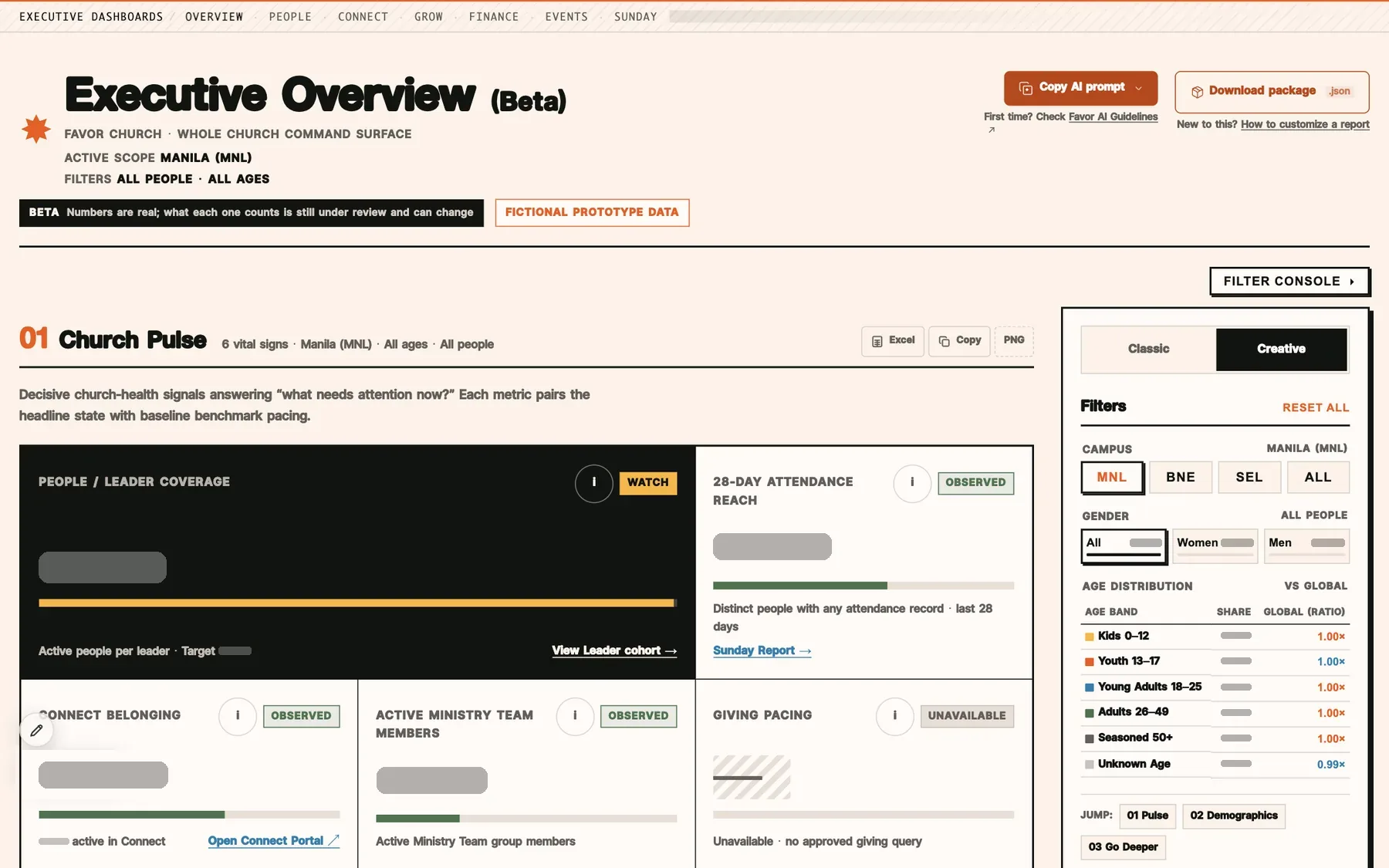
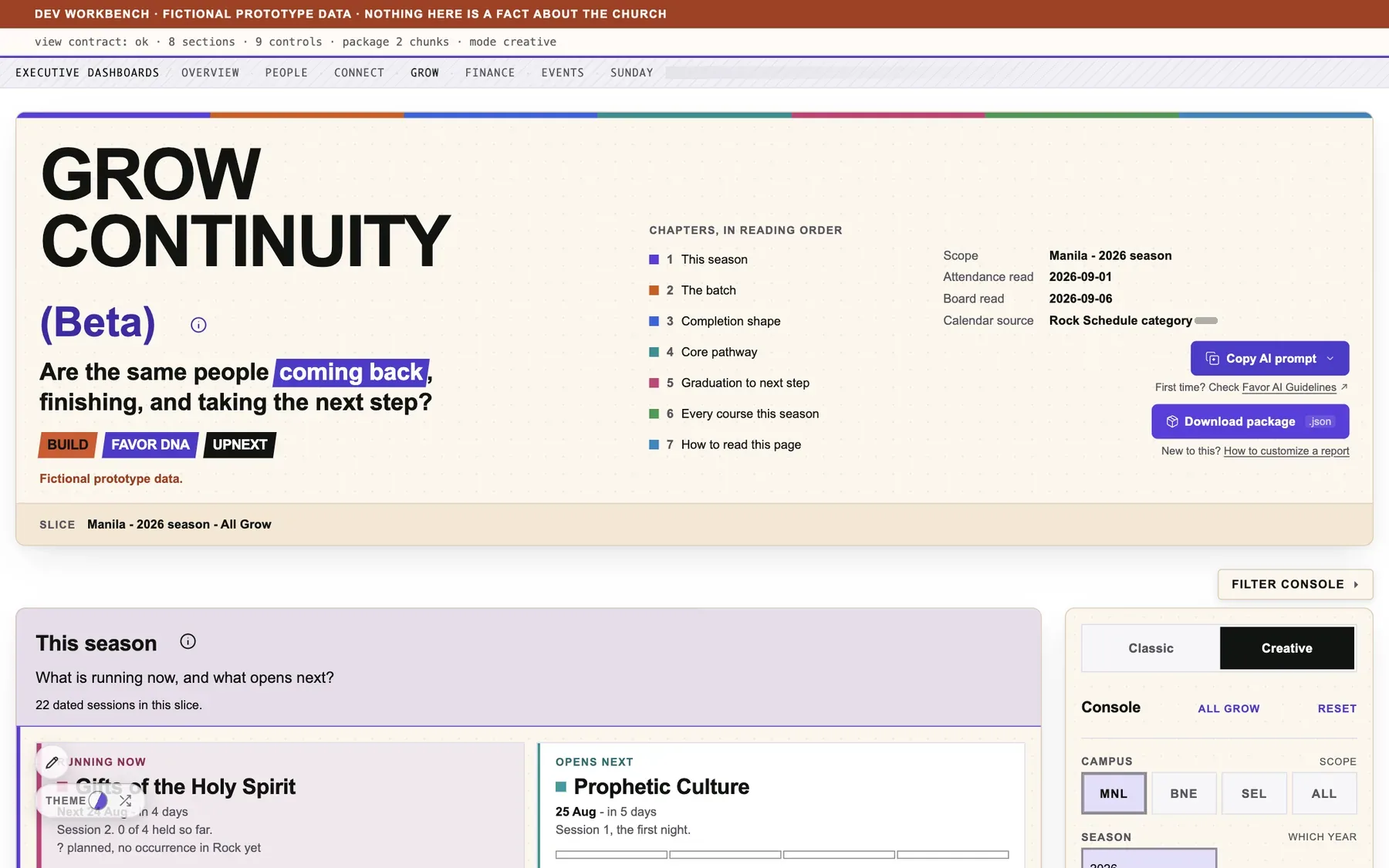
Executive Overview, People & Leaders, Grow, Connect Health, Finance Pulse, the Sunday Report, Stats Inputs, Markup, and Events, which is still being built. I designed and built almost all of them, and I treat them as one product, not a gallery of charts: every surface has to earn four things in order.
Try them: 10 live dashboards
These are the real dashboards, running in your browser on invented data. Nothing here talks to Rock. Pick one and play with it, or open it full screen.
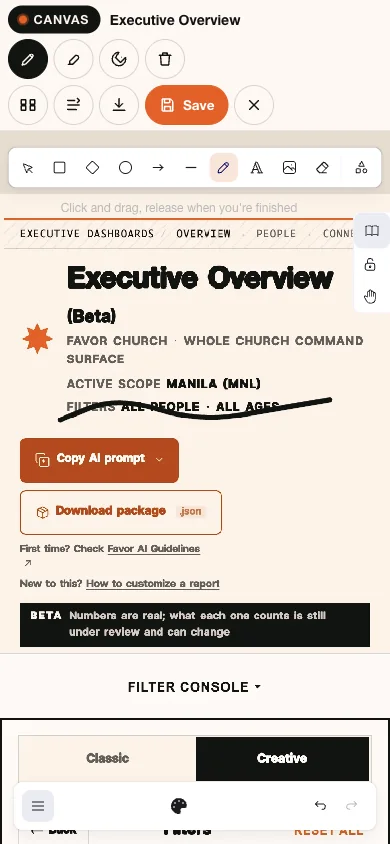
- Executive OverviewSwitch campus and lens, flip Creative/Classic, export, or press the pen to draw on it. (opens the live demo in a new tab)
- People & LeadersPathways, Leadership and Multiplication tabs, each loaded on demand. (opens the live demo in a new tab)
- Connect HealthCampus buttons, pressure, capacity, network and opportunity lenses, on a zoomable map. (opens the live demo in a new tab)
- Grow ContinuityThis season's courses in reading order, with filters and export. (opens the live demo in a new tab)
- Finance PulseWeekly ledger, KPI strip, fund pivot console, and the capacity bridge forecast. (opens the live demo in a new tab)
- EventsStill being built: the under-construction stage and its design options. (opens the live demo in a new tab)
- Sunday ReportWeek-over-week and year-over-year stats, charts, notes and export. (opens the live demo in a new tab)
- Sunday InputsThe inbox, entry and setup screens that feed the Sunday Report. (opens the live demo in a new tab)
- Sphere of InfluenceA rotatable 3D relationship graph with lens and depth controls. (opens the live demo in a new tab)
- Dashboard WorkspaceA workspace prototype: widgets, freshness labels and drill-downs. (opens the live demo in a new tab)
-
Truth. A number I can't defend doesn't ship.
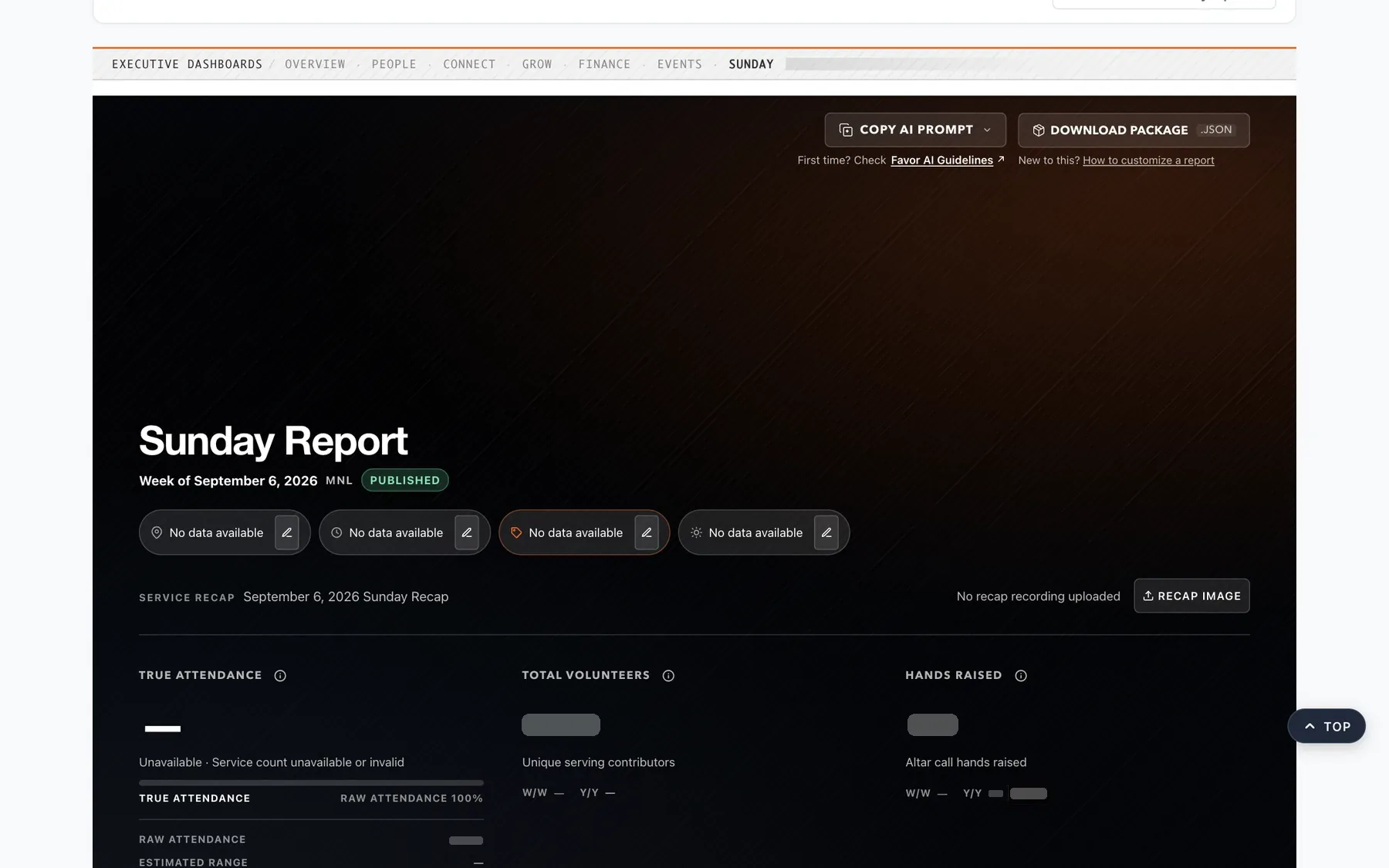
The Sunday Report is where the week gets decided, so its arithmetic has to be the source of record. True Attendance now resolves the current, previous and historical weeks through one canonical contract, using each week's real service count. "Headcount" became Raw Attendance, so two different numbers stop sharing one name.
When the inputs can't support a figure, the card says so. In the workbench fixture the service count is missing, and True Attendance reads as a dash, not a guess.
-
Legibility. Paint the page before the query.
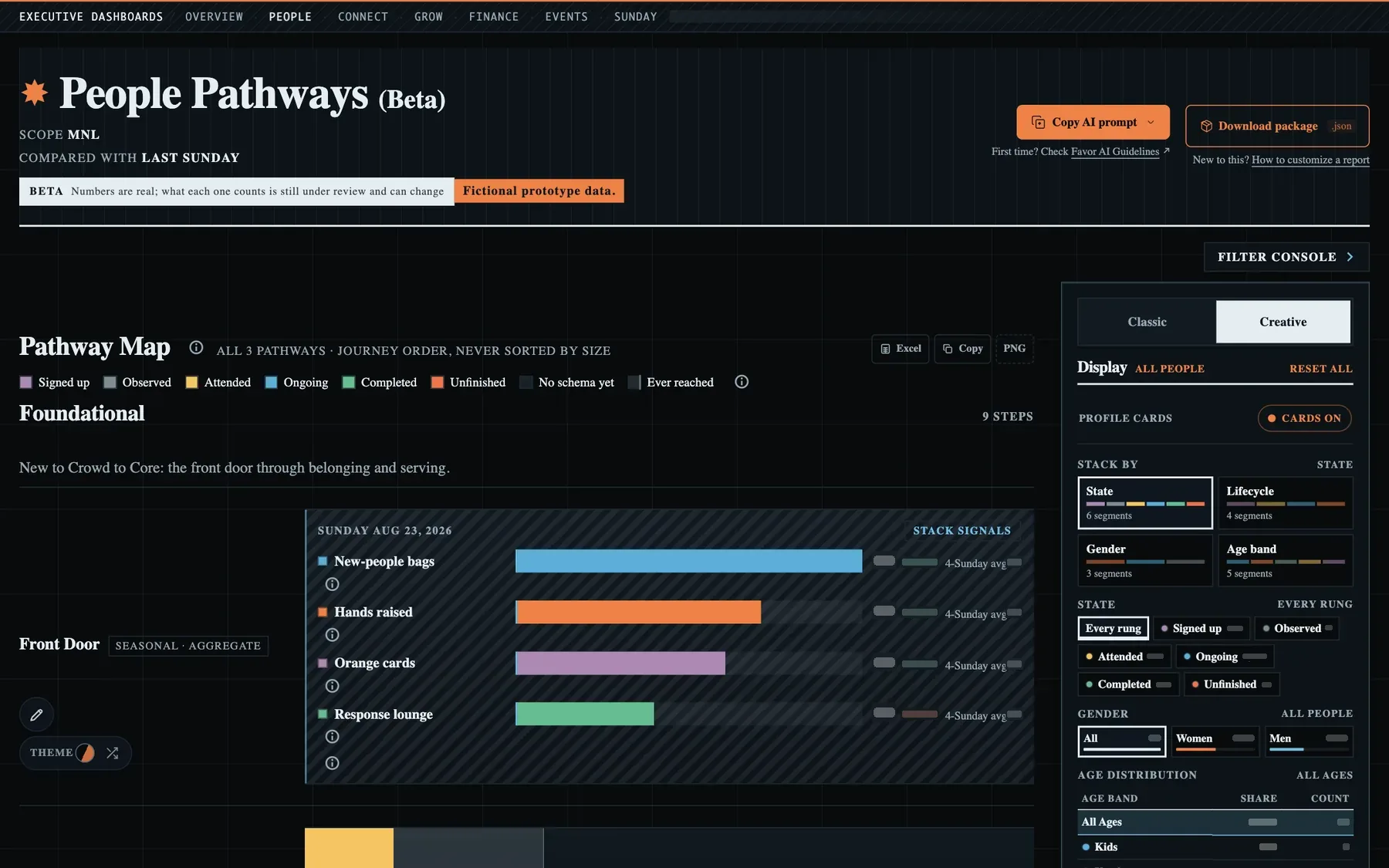
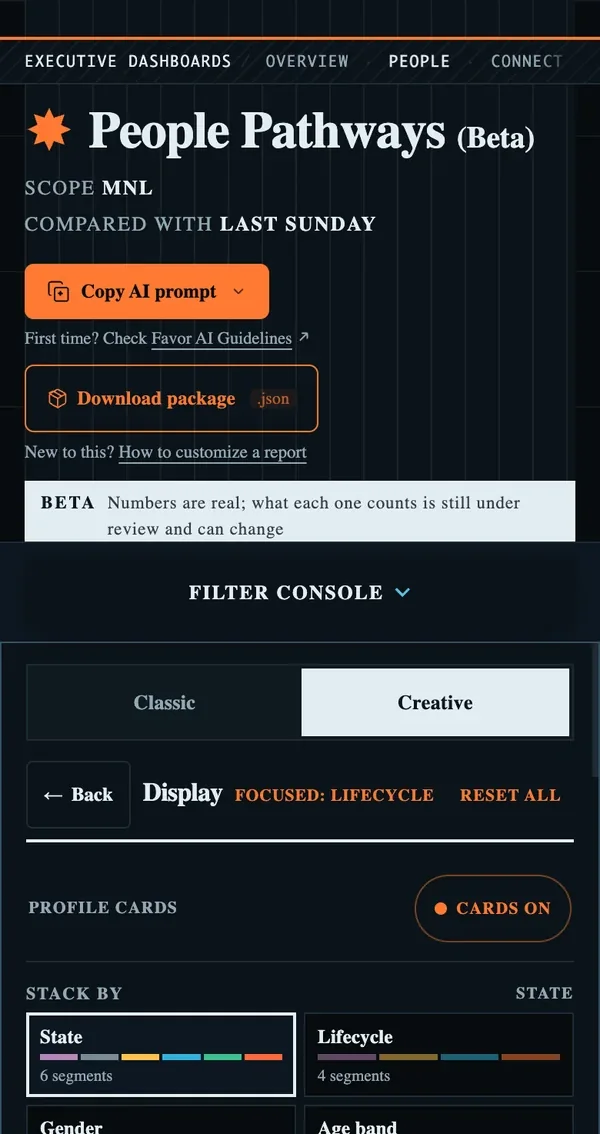
People Pathways kept readers on a blank tab for 4.7 seconds while one server block ran ten reads, and Rock sends no byte until that block finishes. Tuning the queries couldn't fix first paint: the hint that rescued Overview made every one of these slower. So the page now runs no query at all. It paints the surface, then fetches its data from the same page, route and permission, under a written, fenced exemption.
The loading skeleton carries no number, label or axis. A placeholder someone could mistake for a reading is worse than an empty page. Across the suite the same discipline holds: one status chip, one set of motion tokens, one reduced-motion switch, and on a phone the bottom edge holds exactly one thing.
-
Action. Dashboards you can argue with.
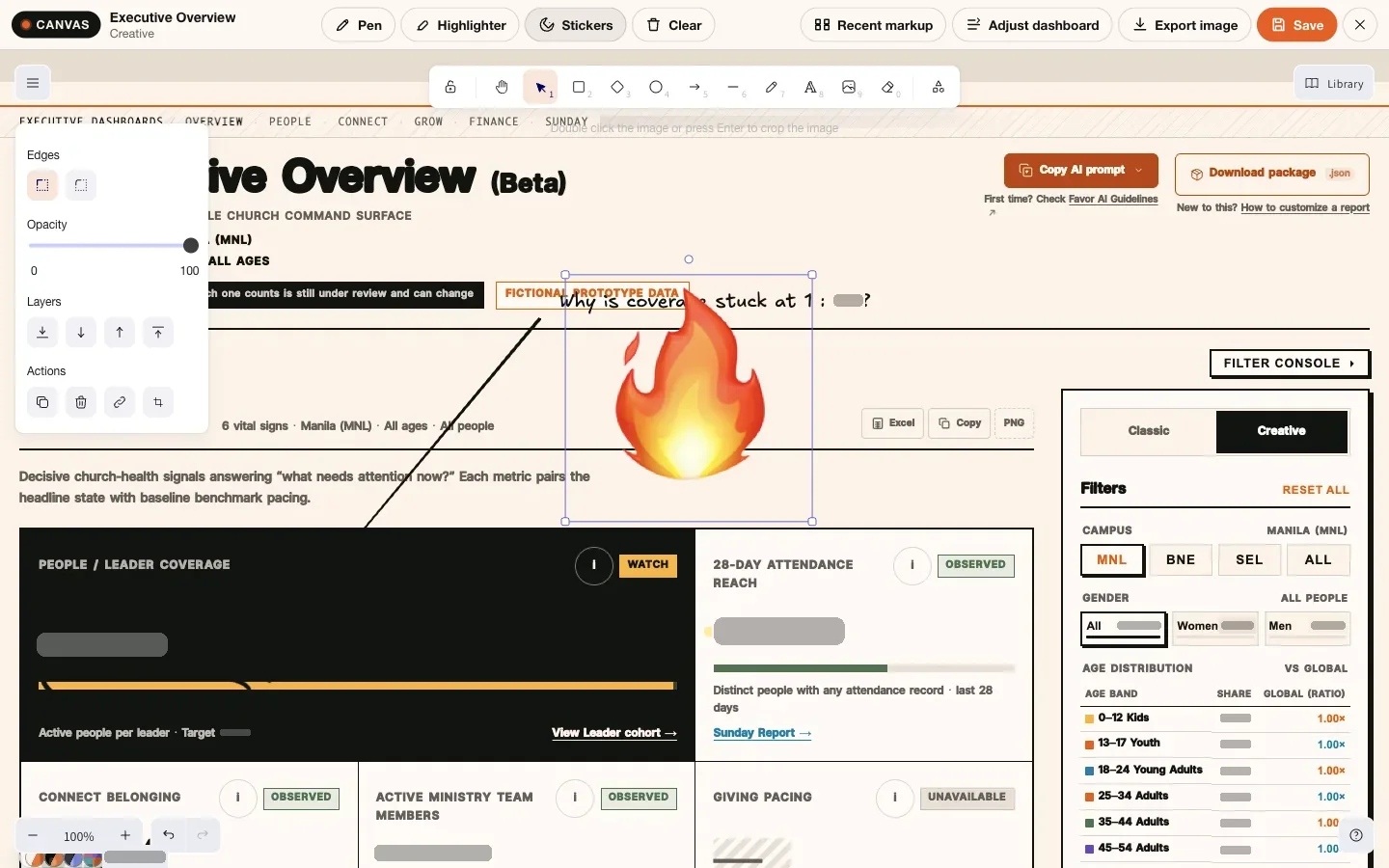
Most dashboards are a dead end: you read them, then take the conversation somewhere else. Markup keeps it on the surface: press the pen and the visible dashboard freezes into paper. Draw, write, stick a note, then save an immutable snapshot that anyone allowed to see that dashboard can reopen exactly as you saw it. An anonymous request for a snapshot gets Rock's login page, not the file.
A save Rock can't serve back is a failed save, not a silent one. Before the gallery says "saved", Markup reads the file back through the same path a reload would use.
-
Proof. Production is not the test.
These dashboards sit on the church's live database, so every change has to arrive already proven. The gates are code, not a checklist anyone can skip.
Delivery gates and what each one refuses Gate What it refuses Query rehearsal SQL that hasn't run against production out of band first, or that needs more than 60% of its timeout. Clean tree A production apply from anything but a committed tree, with a snapshot taken before the first write. Read boundary Any query the browser didn't get from a registered, hash-verified, role-fenced catalogue. Regression guard A fix without a test that fails when the fix is reverted.
I build this suite with Rico Tiongson (rico-favor on GitHub, opens in a new tab), whose work includes the Stats Inputs matrix and the shared metric contract.

Gaia
I founded Gaia because agent capability gets passed around without evidence: skills copied, renamed, and ranked by popularity. Gaia asks a question and measures it, records who proved a capability first and on what evidence, then lets an agent use it for one session without carrying it forever.
-
Research. Ask, measure, publish the receipt.
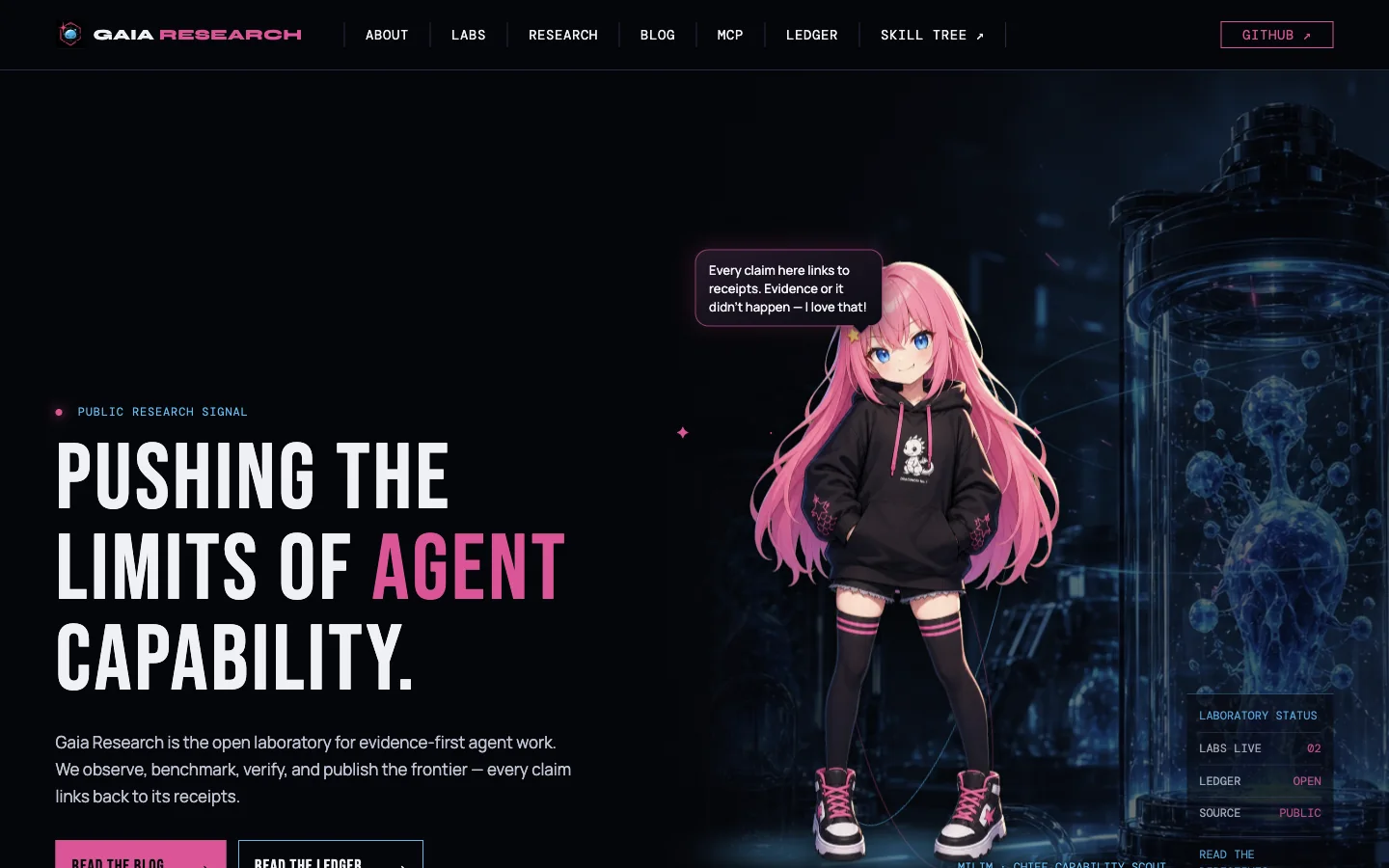 Open Gaia Research (new tab)
Every public number on the research site traces to a committed ledger row, and CI fails a page that cites one that doesn't. Context Diet took a
CLAUDE.mdof 49,687 characters, 24% over the 40,000 limit, down to 29,040 with all 124 of its rules still recoverable. -
Registry. Who proved it first, and on what evidence.
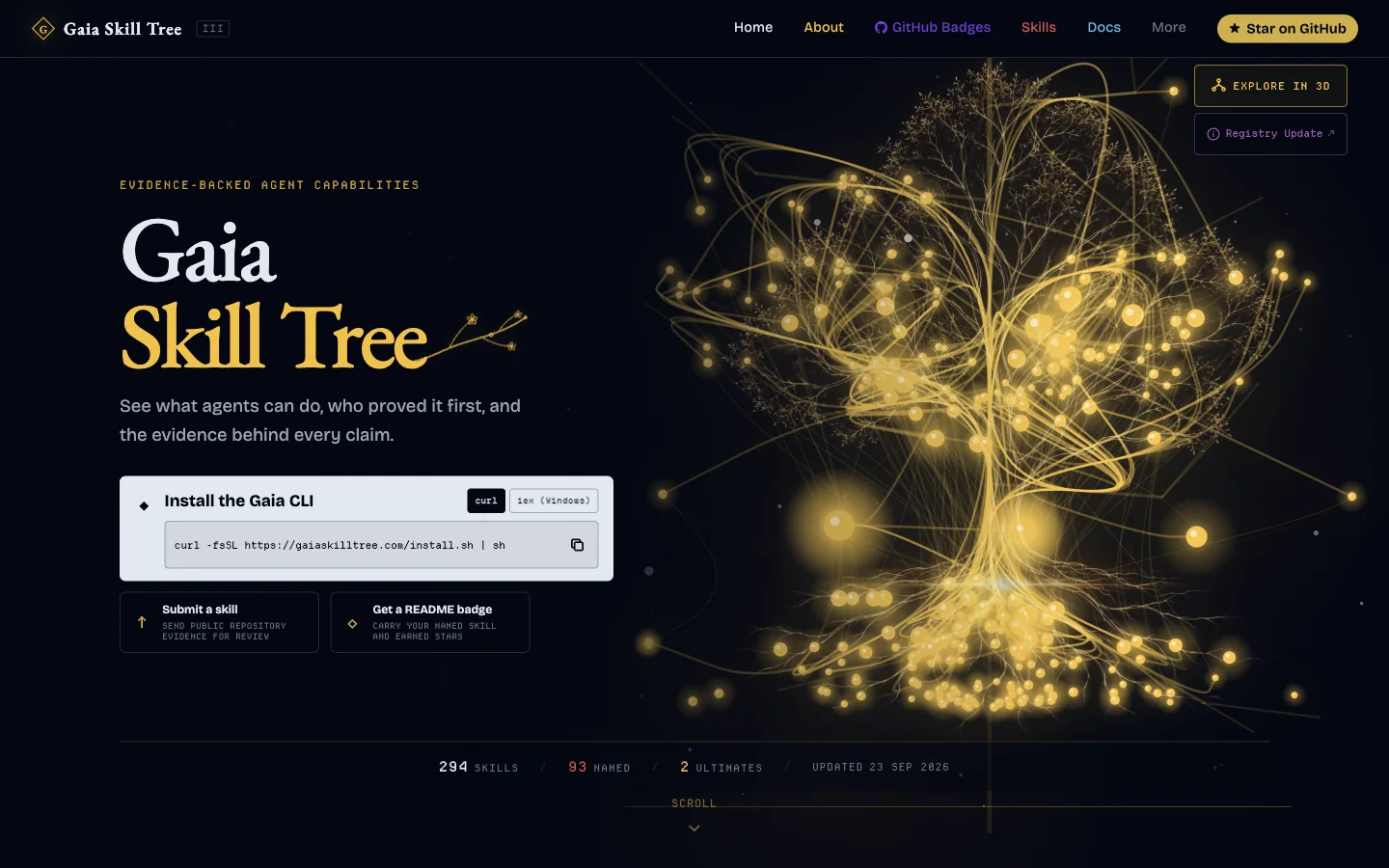 Open Gaia Skill Tree (new tab)
Gaia Skill Tree maps what agents can do, and the people who built and proved each skill. On 24 September 2026 it listed 294 skills and 93 named implementations. Trust is earned across evidence types: repository stars have diminishing returns and can never reach the top grade alone. A wrapper has to credit the maker of the tool it wraps, and governance separates an imposter from an honest early stub before anything is removed.
-
Runtime. Summon, don't install.
 Open Skill Heaven (new tab)
Skill Heaven brings the right skill into an agent session for the task at hand, then leaves, instead of permanently stuffing context and config. Retrieval is allowed to refuse when nothing fits. Postures route skills and never issue orders to the model. Clean-room doors launch Claude, pi, Codex, Hermes, Grok and Antigravity without touching the user's setup.
It's the same thing I care about at Favor, pointed at agents: a claim should carry its receipt, and the person who proved it should keep their name on it. My own record is on my Skill Tree profile (new tab).
Machine learning
I'm a Master's student in Artificial Intelligence Engineering at the University of the Philippines Diliman. These are models built for real problems, each written up with its method, its baseline and its limits.
-
AutoMerge: learning when two people are one
In a church database of thousands, duplicate records break trust: giving receipts fragment across separate profiles, spiritual milestones vanish, and household structures split across ghost records. Rock RMS's native auto-merge was permanently frozen in production—its strict confidence formula peaked at 80.94 against an impossible 95 requirement, leaving thousands of candidate pairs stalled with zero automated merges ever executed.
Built with Rico Tiongson, AutoMerge replaced this with an evidence-weighted LightGBM model calibrated with isotonic regression across 39 signals (name phonetics, birthday delta, phones, emails, and family graph). Absolute safety gates protect financial records, minors, and staff accounts. Instead of dangerous unattended merging, high-certainty duplicates stream directly into the Merge Review app for fast, one-click human verification.
0.971ROC-AUC0.922PR-AUC93.4%Precision @ τ=0.40.0105Calibration (ECE)Audited validation: Evaluated on 384 verified pre-merge events and 285 held-out pairs: 99 True Duplicates caught, 169 True Negatives cleared, 7 False Positives, and 10 False Negatives.
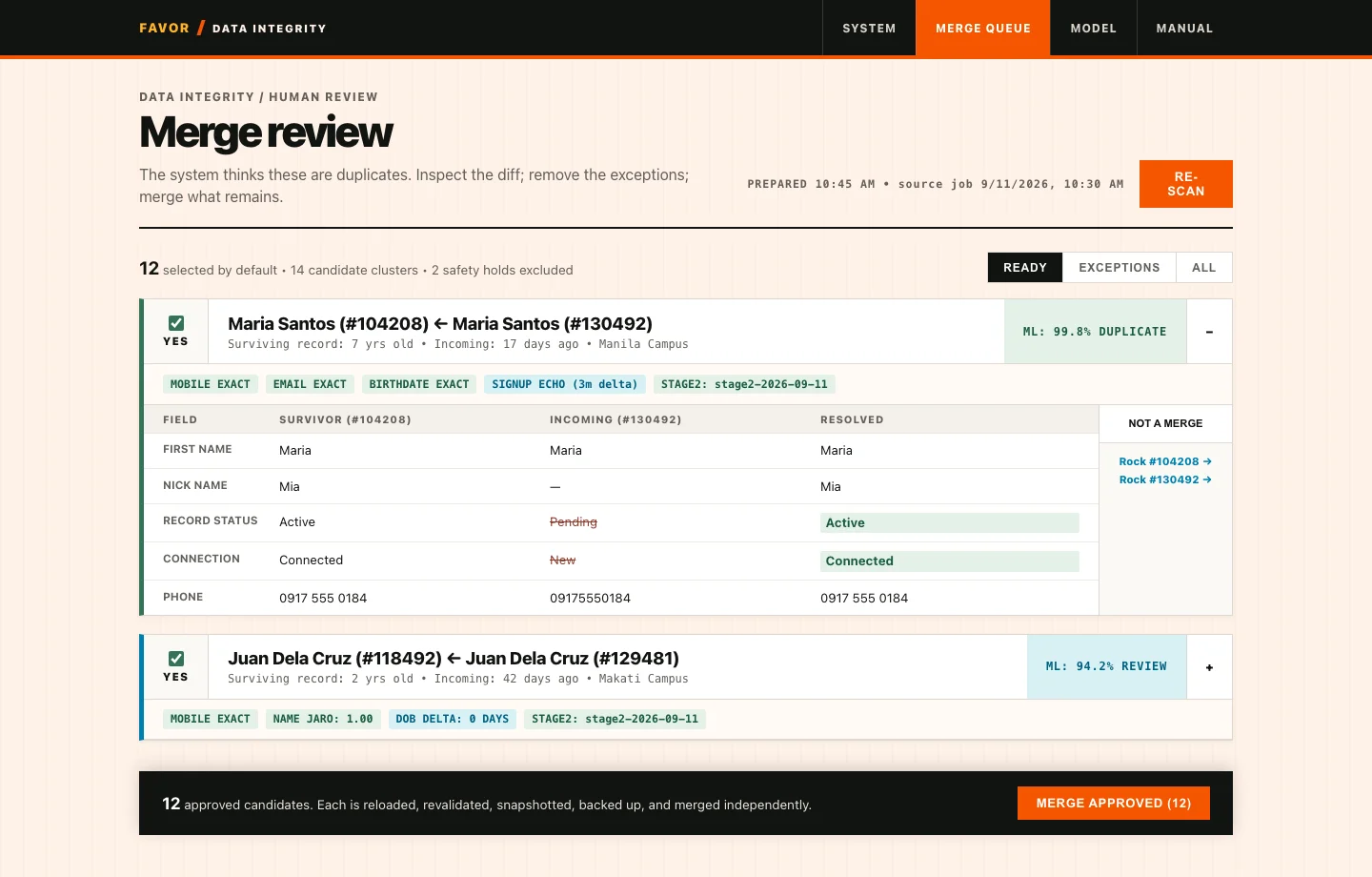
Merge Review app interface. Fictional benchmark data: candidate duplicate cards with field diffs, ML confidence scores, safety badges, and 1-click merge approvals. 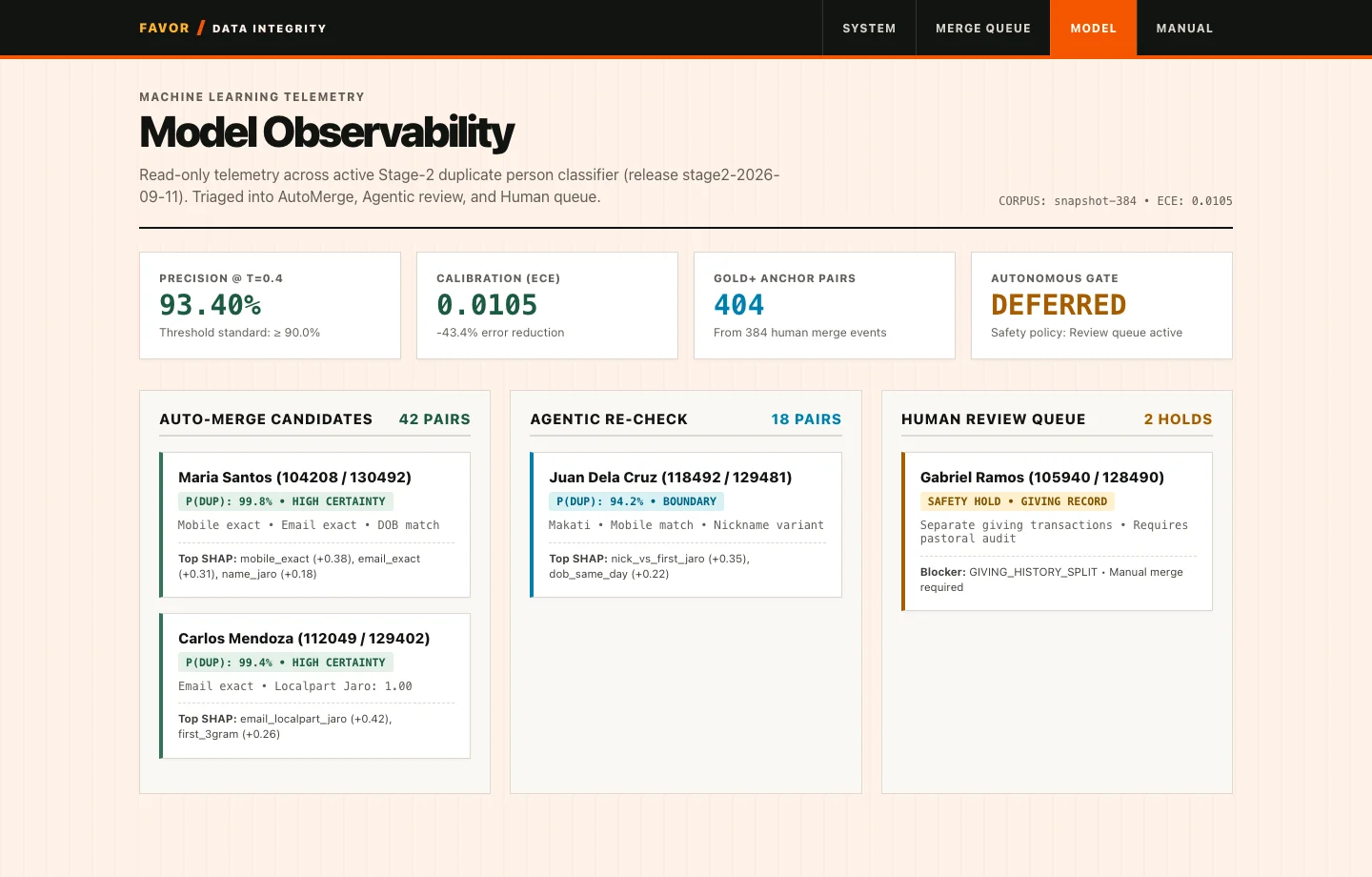
Model Observability telemetry. Production-calibrated Stage-2 performance: precision, calibration error, gold anchor pairs, and safety triage. -
Fuel ABEMIS: predicting farm-machinery fuel use
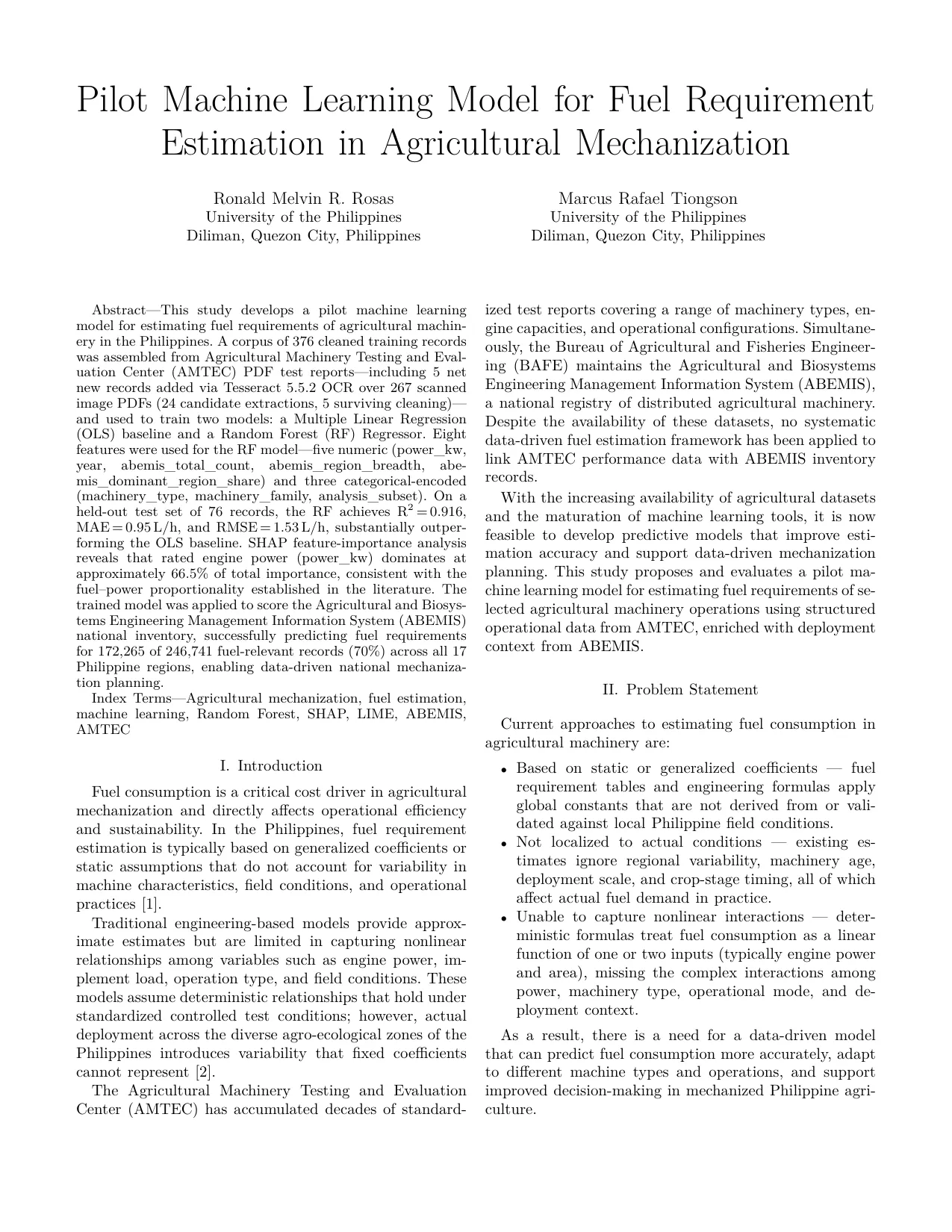
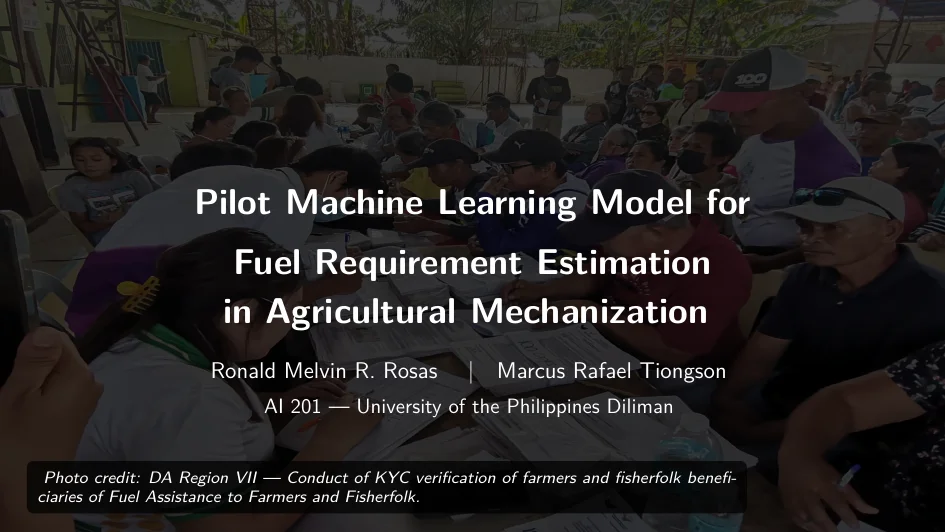
With BAFE agricultural engineer Ronald Melvin Rosas, I modelled fuel consumption (L/h) across Philippine agricultural mechanization by joining two nationwide datasets: the ABEMIS inventory of about 246,000 machines and AMTEC's official laboratory tests. A 300-tree random forest reached R² 0.916 on held-out machines against 0.704 for the best OLS baseline, with MAE 1.09 L/h. SHAP explains the machinery attributes that drive fuel demand.
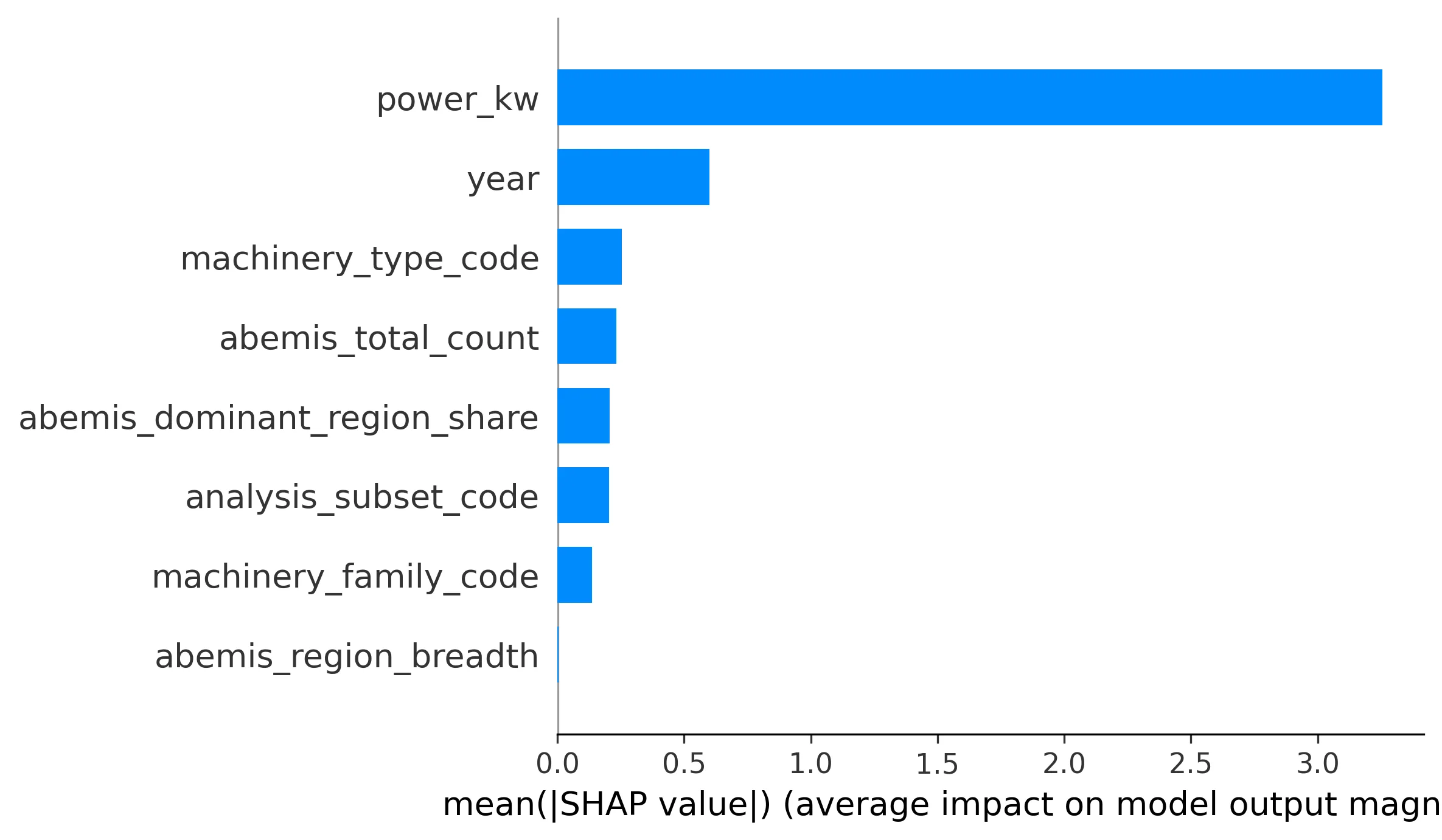
SHAP feature importance ranking engine displacement, rated power, and equipment class. -
HelpMate: an agent that resolves IT tickets
HelpMate is an agentic IT service desk operating on live tickets. Each ticket event starts a fresh orchestrator, which dispatches Scout, Worker, and Critic subagents across local embeddings with strict strong, weak, and cold match bands. Critic verification guarantees that resolutions are validated against policy and knowledge base runbooks before tickets close.
Every run leaves a resolution note, the Critic's review rounds, and a complete trajectory log. Evaluated across held-out scenarios scored on seven dimensions over synthetic incident tickets and real service-desk patterns.
Live incident resolution demo (4 min). Autonomous incident triage, Scout search, Worker resolution, and Critic review in the live harness. Play inline or view full screen.
Tools and experiments
- Gaia MCP The first way to search, inspect and summon Gaia skills: an MCP server with four tools. Now superseded by the Skill Heaven runtime, which took over its summon engine. Source (new tab)
- macdash A dependency-free terminal dashboard reading native macOS tools: CPU, GPU, memory, network, battery, thermals. Source (new tab)
-
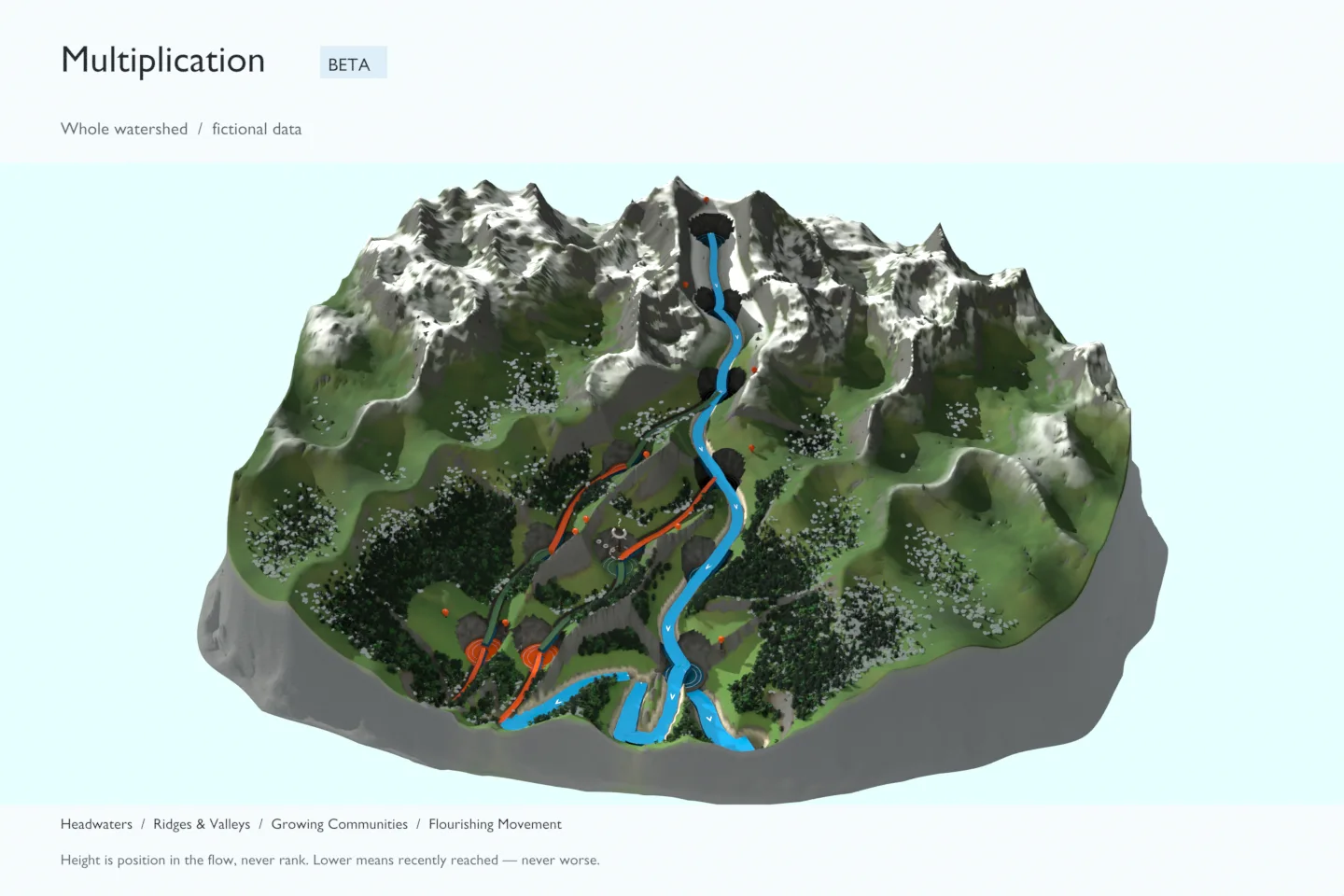
Watershed studies
Work-in-progress terrain renders exploring a leadership pathway as a watershed. Illustrative and fictional, not geography.
How I work
I'm studying for a Master's in Artificial Intelligence Engineering at the University of the Philippines Diliman, and I work where engineering meets the people who have to live with it: church staff reading a Sunday Report on a phone, or an agent deciding which skill to trust.
I work with coding agents every day and hold them to the bar I hold myself: small pull requests, a written reason, a test that fails without the fix, and a receipt from the real environment before anyone calls it done.